Algorithmic Updates vs. Manual Actions
When organic search traffic suddenly plunges, teams often panic and assume they received a “Google Penalty.” You must distinguish between two completely distinct mechanisms:
┌───────────────────────────────────────┬───────────────────────────────────────┐
│          ALGORITHMIC ADJUSTMENTS      │             MANUAL ACTIONS            │
├───────────────────────────────────────┼───────────────────────────────────────┤
│ Handled automatically by ranking code │ Handled manually by a human reviewer  │
│ (Core Updates, SpamBrain, Helpful     │ at Google's Webspam team who reviewed │
│ Content algorithms).                  │ your domain and applied an action.    │
├───────────────────────────────────────┼───────────────────────────────────────┤
│ NO NOTIFICATION IN SEARCH CONSOLE!    │ EXPLICIT NOTIFICATION & RECORD IN GSC │
│ (Diagnosed via analytics traffic drop │ (Under "Security & Manual Actions"    │
│ coinciding with public update dates). │ with exact violation categories).     │
└───────────────────────────────────────┴───────────────────────────────────────┘
Types of Manual Actions in Search Console
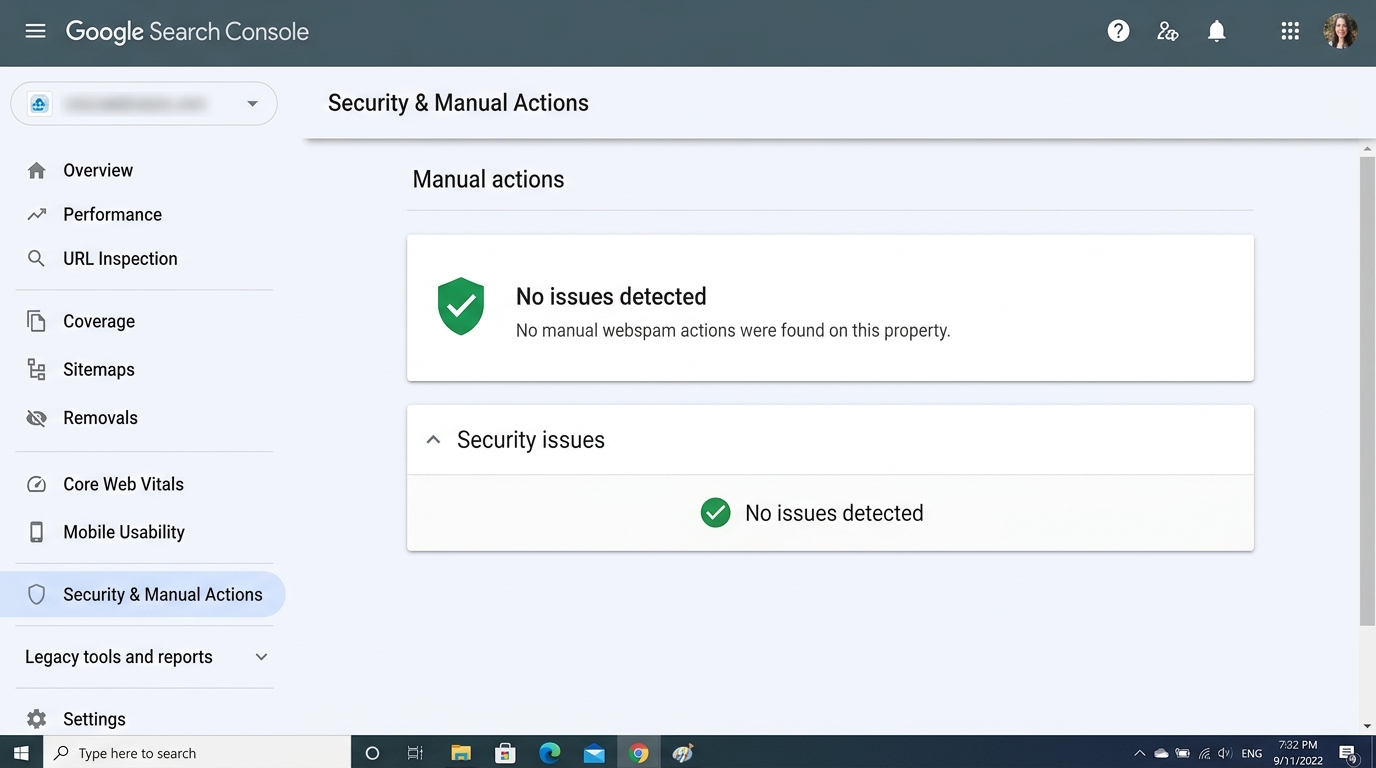 Figure 5.2: The Security & Manual Actions dashboard displaying ‘No issues detected’ (green shield), confirming no webspam penalties or security warnings impact the property.
If your site receives a manual action, a red alert banner appears under Security & Manual Actions > Manual Actions:
- Unnatural Links to Your Site: Buying paid links or participating in link networks designed to manipulate PageRank.
- Unnatural Links from Your Site: Selling followed outbound links or hosting sponsored articles without
rel="sponsored"orrel="nofollow". - Thin Content with Little or No Added Value: Low-quality affiliate pages, doorway pages, or purely scraped content.
- Pure Spam: Aggressive black-hat techniques, auto-generated gibberish, scraping, or repeat policy violations.
- Sneaky Redirects & Cloaking: Serving different content to Googlebot than to human users.
- Hidden Text or Keyword Stuffing: Offscreen text (
display: none;) stuffed with ranking queries.
The Reconsideration Request Framework
To remove a manual action, you must submit a Reconsideration Request directly through GSC. Human reviewers at Google evaluate these submissions.
┌────────────────────────────────────────────────────────────────────────┐
│               THE 4-PART RECONSIDERATION BLUEPRINT                     │
│                                                                        │
│  1. Acknowledgement: Clearly acknowledge the exact violation found.    │
│  2. Remediation Details: Detail the exact technical actions taken      │
│     (e.g., deleted 4,200 thin pages, disavowed 850 paid link domains). │
│  3. Verifiable Proof: Provide link to a public Google Sheet or repo    │
│     documenting the audit trail and proof of outreach.                 │
│  4. Preventive Safeguards: Describe internal policies implemented to   │
│     prevent recurrence (new editorial guidelines, automated linters).  │
└────────────────────────────────────────────────────────────────────────┘Diagnosing Security Issues & Hacked Sites
Under Security & Manual Actions > Security issues, Google flags malware, deceptive software, and compromised sites:
- Hacked type: Code injection: Attackers exploited an unpatched CMS vulnerability to inject JavaScript redirecting users to spam domains.
- Hacked type: Content injection: Attackers generated thousands of spam URLs (
/cialis/,/casino/) within your domain structure. - Malware or unwanted software: Your site is serving malicious
.exeor.dmgdownloads or participating in drive-by download attacks.
Immediate Triage Protocol:
- Isolate the server and revoke all SSH, SFTP, and CMS administrative credentials.
- Restore clean code from known Git release tags or immutable backups.
- Patch the root vulnerability (update plugins, frameworks, and operating system packages).
- Verify server clean state and click “Request Review” in GSC.