Unlocking GSC’s RE2 Regular Expressions Engine
Search Console supports standard RE2 Regular Expressions (Google’s open-source regular expression engine) for both Queries and Pages.
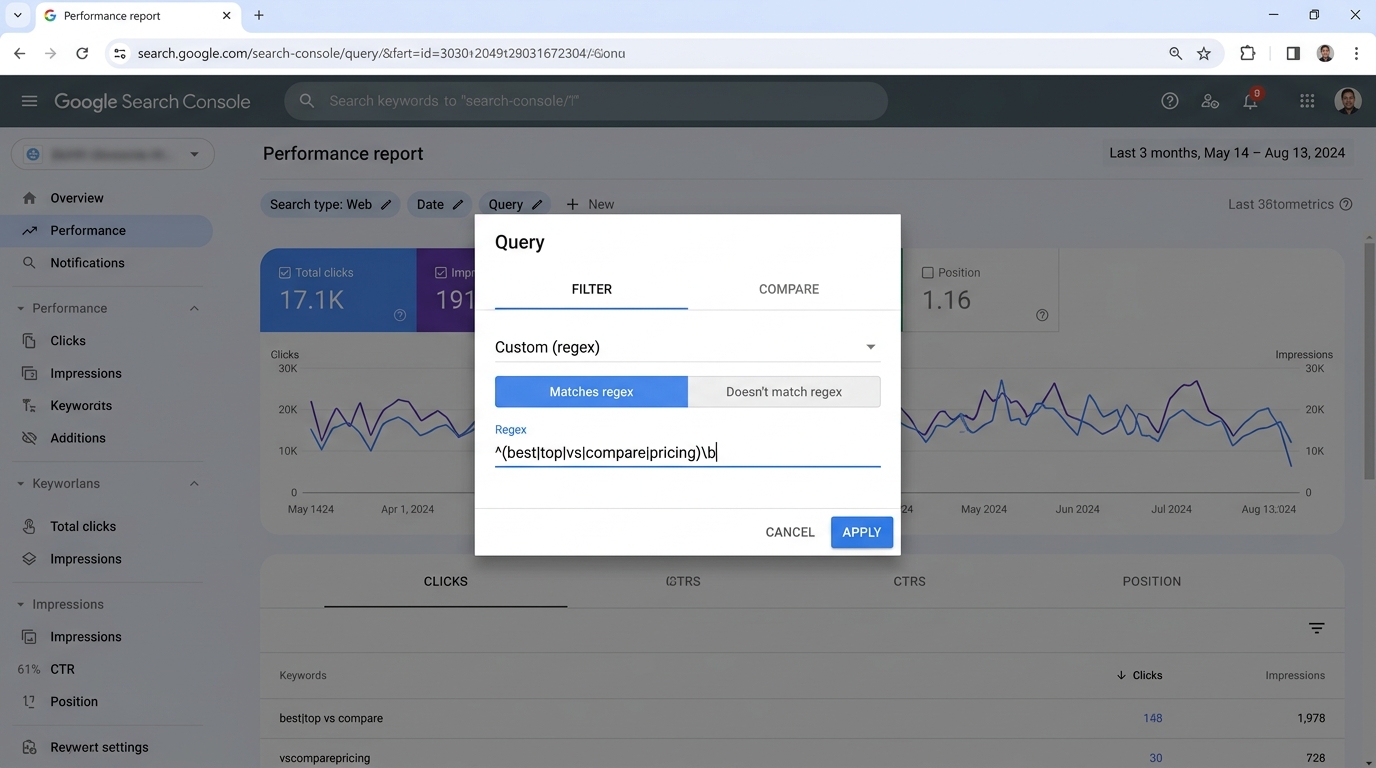 Figure 3.2: The Performance report Query filter dialog with ‘Custom (regex)’ active, setting ‘Matches regex’ to isolate high-intent commercial terms.
Unlike standard substring filtering (“Queries containing”), Regex allows you to filter complex linguistic intents, grammatical questions, and brand name permutations with surgical precision.
1. Brand vs. Non-Brand Segmentation
Tracking non-brand search performance is the truest indicator of technical SEO growth. Brand searches are driven by PR, brand recognition, and advertising, while non-brand searches represent genuine organic discovery.
Positive Brand Filter (All Brand Permutations):
To match variations, typos, and sub-brands:
^(brand|brandname|brnd|brand\s?name|brand\s?app|brand\s?software)$Or partial match:
brand|brandname|brand\s+coNegative Non-Brand Filter (Filter Out Brand):
In the GSC filter, choose “Custom (regex)” > “Doesn’t match regex”:
.*(acme|acmecorp|acme\s?corp|acme\s?tools|john\s?doe).*Result: Every query returned represents non-brand demand, allowing you to see your pure SEO performance.
2. Intent-Based Regex Cheat Sheet
A. Question Queries (Informational Intent)
Isolate searchers seeking explanations, troubleshooting guides, or technical how-tos:
^(who|what|where|when|why|how|can|is|are|does|do|should)\bB. High-Intent Commercial & Transactional Queries
Capture buyers comparing tools, looking for pricing, or searching for discounts:
\b(best|top|review|reviews|vs|versus|alternative|alternatives|compare|pricing|price|cost|discount|coupon)\bC. Technical Troubleshooting & Error Codes
Discover users searching for specific exceptions or configuration issues:
\b(error|failed|exception|fix|troubleshoot|syntax|debug|timeout|status\s?code)\bD. Long-Tail Queries (6+ Words)
Isolate specific conversational or voice-search queries with high conversion rates:
([^" "]+[" "]+){5,}[^" "]+Page-Level Regex Filtering
You can apply regex to URLs under the Pages filter:
Isolate Deep Product Detail Pages:
https:\/\/example\.com\/products\/.*\/[0-9]{6,}Exclude All Blog and Knowledge Base Paths:
Set to Doesn’t match regex:
\/(blog|docs|help|support|kb)\/